CoinBeacon Guide: Features, Pricing and How It Compares
William Lucas9 min read
scrapewithbots.com/coinbeacon-guide/
CoinBeacon is a web app for crypto market data and alerts. It follows prices on 44 exchanges, shows funding rates, liquidations and open interest, finds coins with screeners and pattern detection, and sends alerts by email, push notification, Telegram, Discord, Slack or webhook.
This guide explains what CoinBeacon offers, what each plan costs, where its limits are, and how it compares with four other services. Every figure here was checked against each service's own website on 25 November 2026. Plans and limits change, so look at the linked pages before you decide.
What is CoinBeacon?
CoinBeacon is a market-monitoring and alerting service that launched in 2026. It is not an exchange or a broker. It does not hold funds, take custody or place trades. Its alerts and screeners read public market data, so you do not connect an exchange account or hand over API keys to use them.
It runs in the browser. There is no App Store or Google Play app. Instead, CoinBeacon installs from the browser onto a phone or a computer, and push notifications then reach you while it is closed.
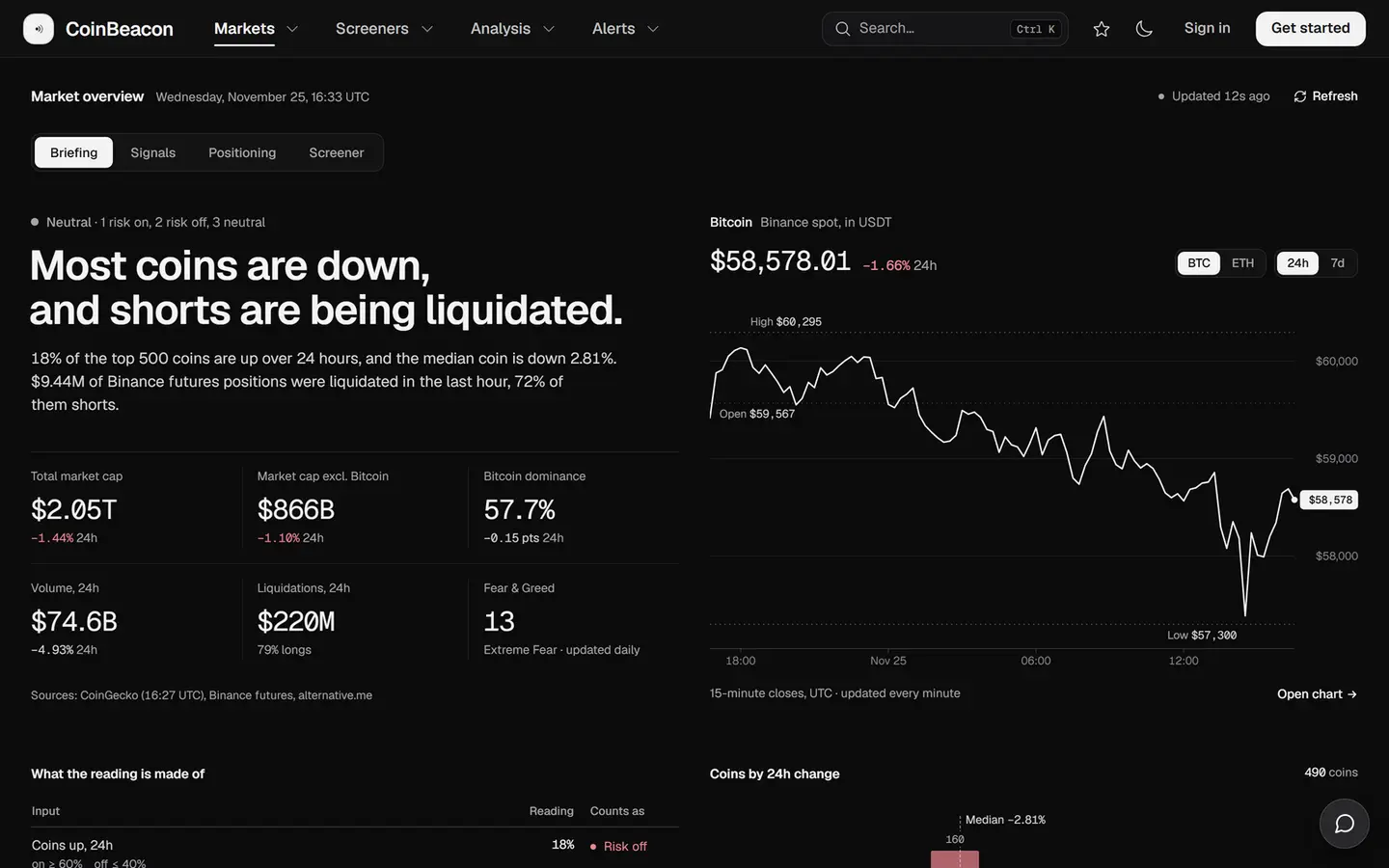
Much of it works without an account. The market overview, funding rates, liquidations, charts and the screener's ready-made screens open for anyone. A free account is needed to save alerts and watchlists.
What CoinBeacon offers
25 alert types
Price targets are only the start. CoinBeacon has 25 alert types, and they fall into these groups:
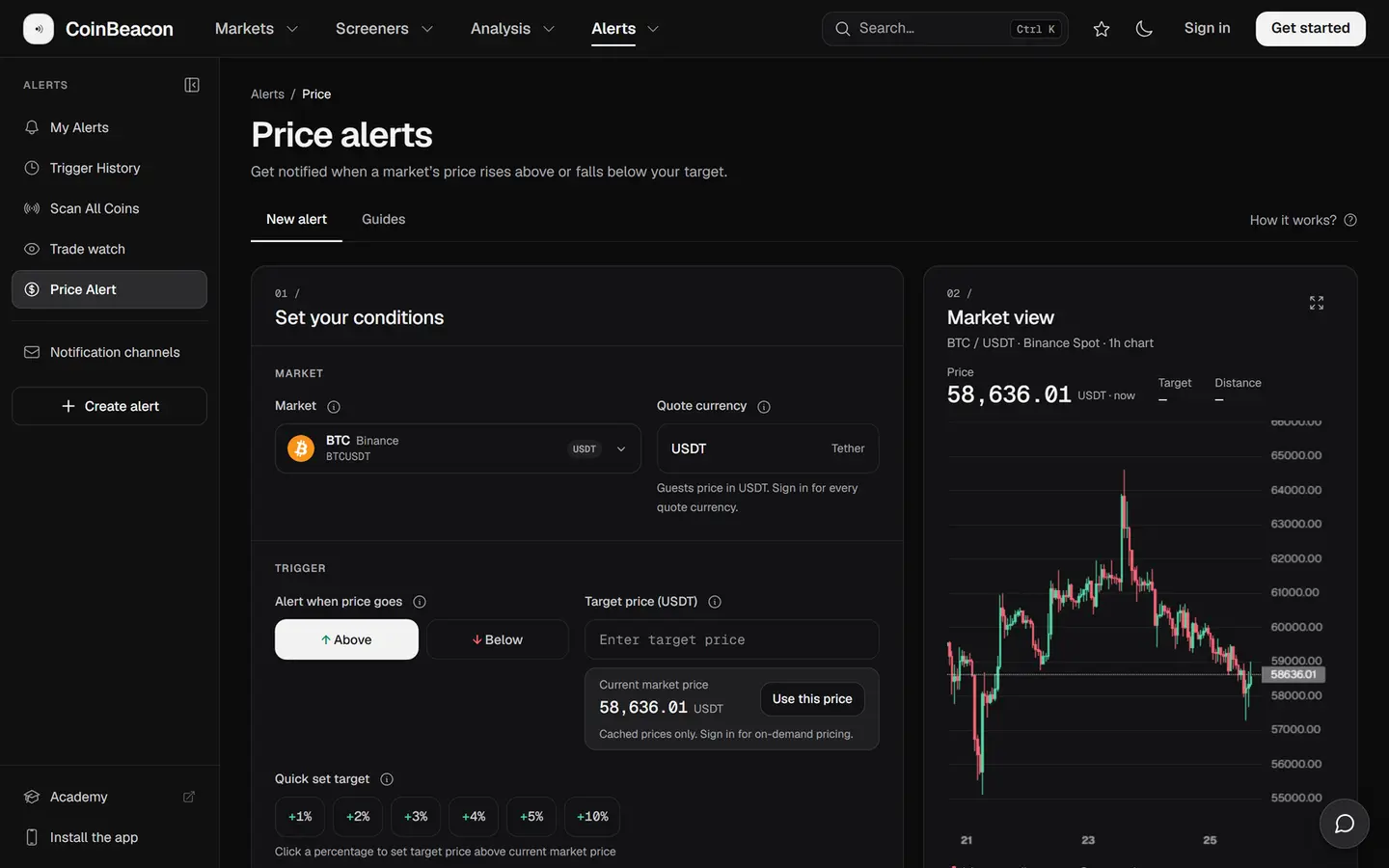
Price, percentage and momentum alerts. A coin crossing a price you set, moving by a set percentage inside a time window, or swinging by an amount you choose. Price alerts compare the live price with your target every 10 seconds, on the exchange you pick.
Indicator alerts. Twelve of them, including RSI, MACD, EMA crosses, Supertrend, Bollinger Bands, Stoch RSI and VWAP. They fire on closed candles, on timeframes from 1 minute to 4 hours.
Pump and dump alerts. A message when a coin moves abnormally fast.
Trendline, chart pattern and price action alerts. Breakouts, retests, divergences and candlestick patterns, on one coin, a watchlist or a whole exchange.
Funding rate and liquidation alerts. Funding thresholds, flips, spikes and gaps between exchanges, plus liquidation spikes and cascades.
Multi-condition alerts. Up to 16 conditions in one alert, each on its own timeframe.
Other alerts. Market cap and rank, pivot levels, new exchange listings, and scheduled price check-ins.
Alerts are checked on CoinBeacon's servers, so no tab or app has to stay open. An alert can watch one coin, or it can scan a whole market: 19 scan types run across an exchange or a watchlist you choose and message you when a coin matches.
Six places an alert can reach you
Each alert goes to one of six delivery channels: email, push notification, Telegram, Discord, Slack or a JSON webhook. All six are on the free plan. Telegram alerts arrive as messages from the CoinBeacon bot. Discord and Slack alerts post into a channel you choose. The webhook sends the alert to your own system. There are no SMS or phone-call alerts.
A screener and market scanners
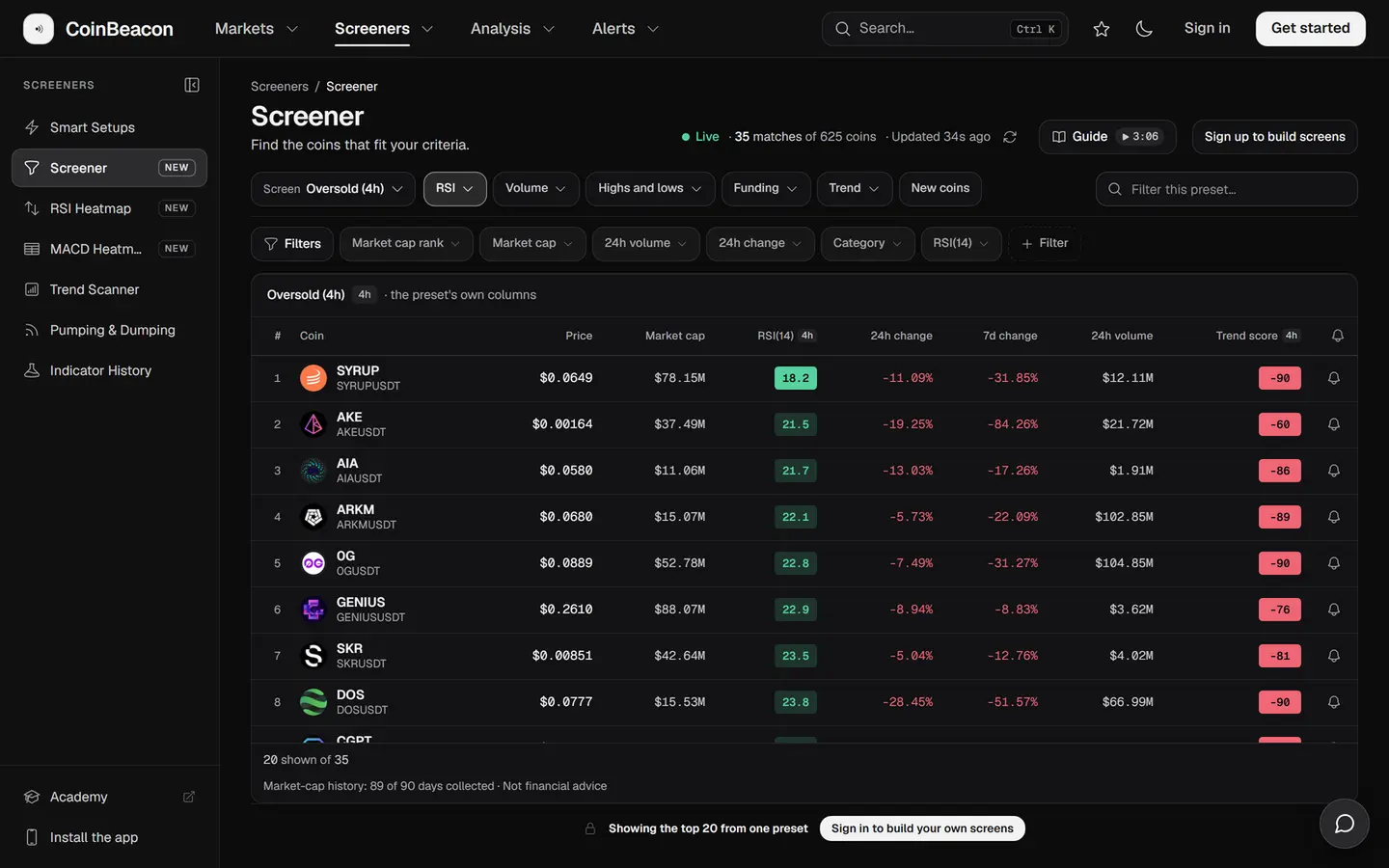
The crypto screener filters coins on 115 metrics, from market cap and volume to RSI, MACD and funding. It comes with 17 ready-made screens, such as Oversold. A screen can also be saved as an alert, which messages you when a new coin enters it.
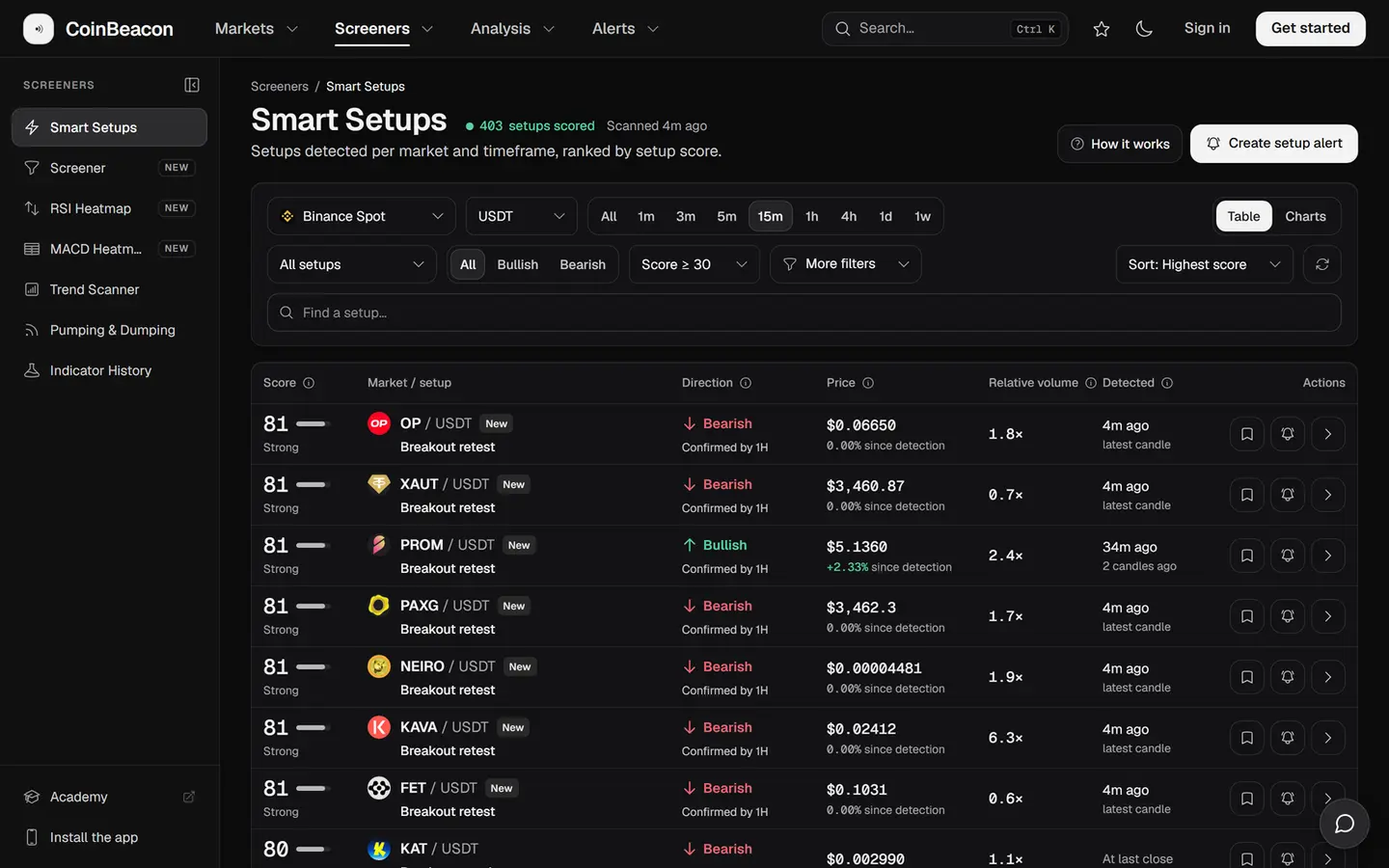
Several boards scan the market for you. Smart Setups ranks trade setups with a score from 0 to 100. A trend scanner shows each coin's trend on every timeframe. There is an RSI heatmap, a MACD screener, and a board of the coins that are pumping or dumping right now.
Funding rates, liquidations and open interest
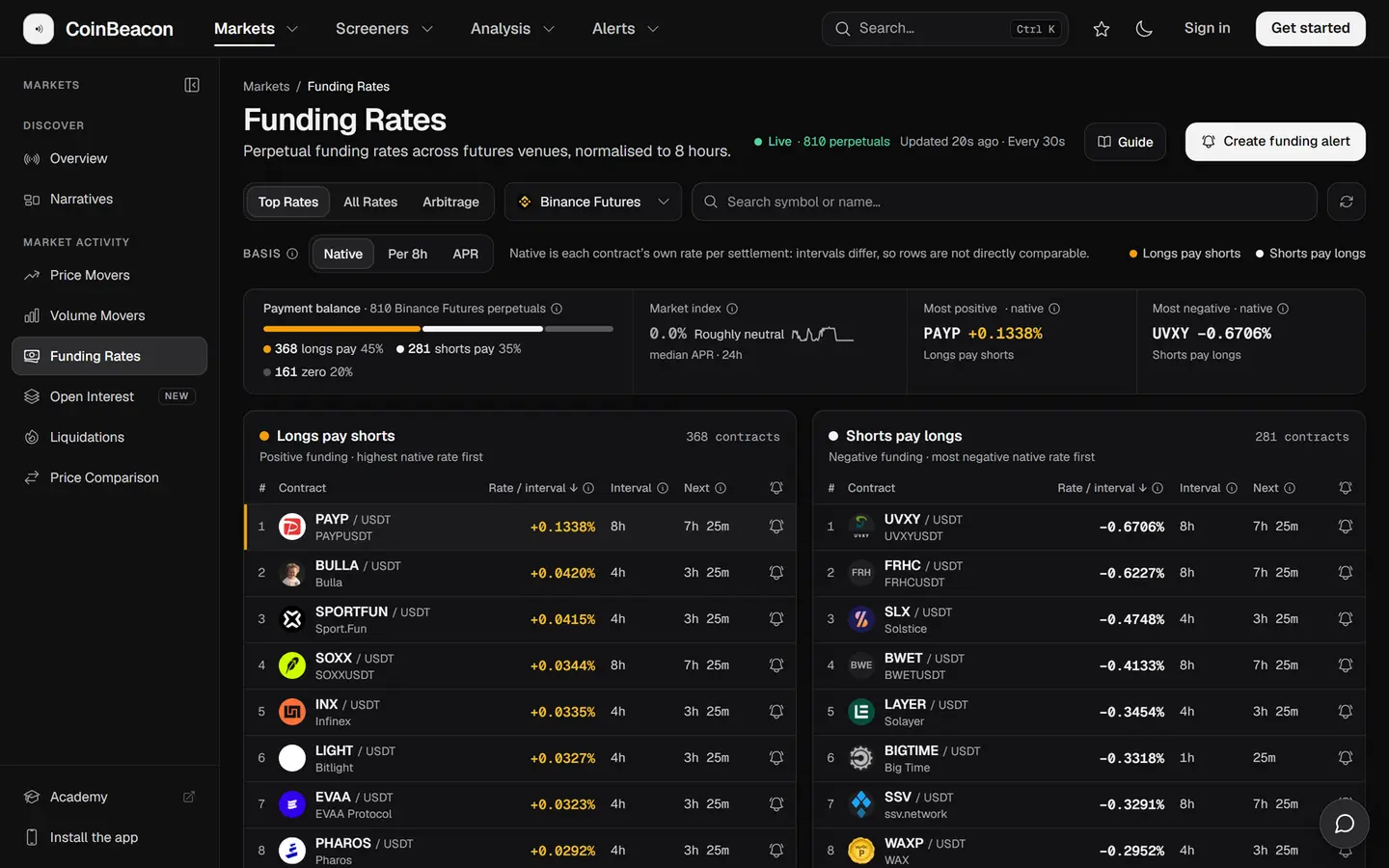
CoinBeacon shows live funding rates from eight futures exchanges: Binance, Bybit, OKX, Bitget, Gate.io, KuCoin, HTX and BingX. The rates are converted to a common 8-hour basis, so exchanges that settle at different intervals can be compared. It also has a live liquidations board for Binance futures and an open interest page.
Charts
The charts come in two forms: TradingView Advanced Charts, and CoinBeacon's own chart terminal with 34 indicators, seven chart types and drawing tools. Both cover six order books (Binance spot, and Binance, Bybit, OKX, Gate.io and HTX futures), and both open without an account.
Cobi, the AI assistant
Cobi answers questions about a coin, the market, funding rates or liquidations from CoinBeacon's live data, in the language you ask in. It can also set up an alert for you to confirm. It does not give buy or sell calls. Cobi needs an account.
Trade watch
Trade watch follows your own open futures trades. You enter the trade with your stop, your targets and your liquidation price, and it messages you when price reaches one of them. It never places or changes an order.
A market data API
The same data is available through an API with 52 read-only endpoints for funding rates, liquidations, open interest, candles and more. It has a free plan with a free key, and paid plans from US$10 a month.
What CoinBeacon costs
The free plan includes every feature. The two paid plans, Pro and Pro+, raise the limits.
Free
Pro
Pro+
Price a month
US$0
US$9.49
US$19.49
Price a year
US$0
US$94.90
US$194.90
Active alerts
5
20
100
Notifications a day
10
50
250
Watchlists
5, of 10 coins each
20, of 100 coins each
50, of 250 coins each
Trades in Trade watch
1
5
20
Priority support
No
Yes
Yes
Prices are in US dollars, before tax. A year costs ten months' price. The plans can be paid by card or PayPal, or in advance with crypto (USDT or USDC), and there is a full refund within 14 days of subscribing. The pricing page has the full list.
What CoinBeacon does well
The free plan is the whole product. Every alert type, every delivery channel, the screener and the boards are on it. Only volume is limited.
Alerts go well beyond price. Indicators, funding rates, liquidations, chart patterns and whole-market scans are alert types of their own.
Telegram, Discord, Slack and webhooks cost nothing extra. All six delivery channels are on the free plan.
There is nothing to connect. Alerts and screeners use public market data, with no exchange account and no API keys.
You can look before you sign up. Most boards and both chart engines open without an account.
The paid plans are small steps. Pro costs US$9.49 a month and Pro+ US$19.49.
Where CoinBeacon falls short
The free plan has tight limits. Five active alerts and ten notifications a day are enough to try it, not to run a large set of alerts.
There is no app in the App Store or Google Play. CoinBeacon installs from the browser. On an iPhone, push notifications need iOS 16.4 or later and CoinBeacon added to the Home Screen.
There are no SMS or phone-call alerts.
Indicator alerts cover the larger markets only. They run on Binance, Bybit, OKX, Gate.io and HTX. Price alerts work on all 44 exchanges.
It does not trade. There are no orders, no bots and no portfolio tracking. CoinBeacon tells you something happened, and acting on it is up to you.
Its derivatives data is narrower than a specialist's. Funding rates come from eight exchanges. CoinGlass covers more.
It is new. CoinBeacon launched in 2026, so it has a shorter record than services that have run for years.
The interface is in English only. Cobi is the exception: it answers in the language of the question.
CoinBeacon compared with other services
CoinBeacon overlaps with several better-known services. The table compares it with four of them: TradingView, CoinGlass, Cryptocurrency Alerting and altFINS. Each cell comes from that service's own website, read on 25 November 2026. Prices are the regular ones for paying monthly, with sale prices left out.
Price, % moves, volume, funding, listings, wallets, gas fees. No indicators
Price, % moves, indicator screens, chart and candle patterns
Alerts sent to
Email, push, Telegram, Discord, Slack, webhook
App push, pop-up, email. Webhook on paid plans
Browser, email, app push
Email, push, Telegram, Discord, Slack, webhook. SMS and calls on paid plans
Email, app push, website
Funding and liquidation data
Funding on 8 exchanges, liquidations, open interest
Ranked lists, and a tab on each coin
Its main subject, on 20+ exchanges
None
None
Coin screener
Yes, 115 metrics
Yes
Yes, on derivatives data
No
Yes, 2,000+ coins
Paid plans from, a month
US$9.49
US$14.95
US$28
US$7.99
US$20
App store apps
No. Installs from the browser
Yes
Yes
Yes
Yes
None of the five needs your exchange keys to send alerts. On altFINS, connecting an exchange is optional and is for its trading and portfolio features.
Where CoinBeacon stands out
Of the free plans with a published limit, CoinBeacon's allows the most active alerts: five, against three on each of the others. It also puts indicator alerts and direct Telegram, Discord and Slack delivery on the free plan. On TradingView, indicator alerts and webhooks start on a paid plan, and Telegram needs a webhook plus a relay service. Cryptocurrency Alerting sends to Telegram and Discord for free, but it has no indicator alerts.
When another service fits better
TradingView is the stronger choice when charting is the centre of your work. Alerts can be set on indicators, drawings and your own strategies, it covers stocks as well as crypto, and it has apps for iPhone and Android.
CoinGlass is the specialist for derivatives data. It covers more futures exchanges than CoinBeacon and goes deeper on liquidations, open interest and long/short ratios. Its alert form is simpler: price and open interest alerts, sent by browser, email or app push. Its alerts page also names Telegram, Discord and webhooks.
Cryptocurrency Alerting is the one to pick for phone-call or SMS alerts, and for alerts on wallets, gas fees and other on-chain events, which CoinBeacon does not have. Its own site says phone carriers in the US and Canada currently block its SMS alerts. It also has the cheapest paid plan in the table.
altFINS has a screener that covers 2,000+ coins, spot trading through connected exchanges, and apps in both stores. Its alerts arrive by email, app push or on the website.
Who CoinBeacon suits
CoinBeacon fits a trader who wants alerts on more than price, sent to Telegram or Discord, without connecting an exchange. It also fits someone who wants funding rates, liquidations, a screener and charts in one place and would rather start on a free plan.
It is a weaker fit if you need SMS or phone calls, an app from an app store, or automated trading.
How to get started
Look around first. The market overview, funding rates, liquidations, charts and screener presets open without an account.
Create a free account and confirm your email address.
Connect a channel. Add Telegram, Discord, Slack, push notifications or a webhook under Notification channels. Email works from the start.
Create your first alert. Pick the coin and the exchange, set the condition, choose the channel and save.
Yes. The free plan includes every feature, with 5 active alerts, 10 notifications a day and 5 watchlists of 10 coins. Pro and Pro+ raise those limits.
Does CoinBeacon need my exchange API keys?
No. Alerts and screeners run on public market data. The one exception is optional: on Pro and Pro+, Trade watch can bring in your open Binance futures positions with a read-only key. A key that can trade, transfer or withdraw is refused.
Is there a CoinBeacon mobile app?
Yes, but not in an app store. You install it from the browser on a phone or a computer, then turn on push notifications so alerts reach you while it is closed.
Can CoinBeacon trade for me?
No. CoinBeacon does not place orders, hold funds or run trading bots. It monitors the market and sends alerts.
Which exchanges does CoinBeacon cover?
Prices come from 44 exchanges, including Binance, Bybit, Coinbase, Kraken and OKX. Indicator alerts, charts and the detection boards cover a smaller set of the largest markets.
Online advertising is the cornerstone of any marketing strategy. However, this landscape is not without its challenges, one of the most notable being click fraud. Your competitors can destroy the…
Every click matters in ensuring the success of your online advertising journey. But the same click can destroy your whole campaign and eat your whole budget if it is a…
In today’s digital age, online advertisement is a crucial factor to make your business visible and ensure its growth. However, it has its challenges too like ad fraud, where illegitimate…
3 min read
Custom bots, built for your site
If the store doesn't cover the website or the job, tell us about it. We build the scraper or bot, run it for you or hand it over as a desktop app, and support it afterwards.